Use AI for LinkedIn comments without giving up control.
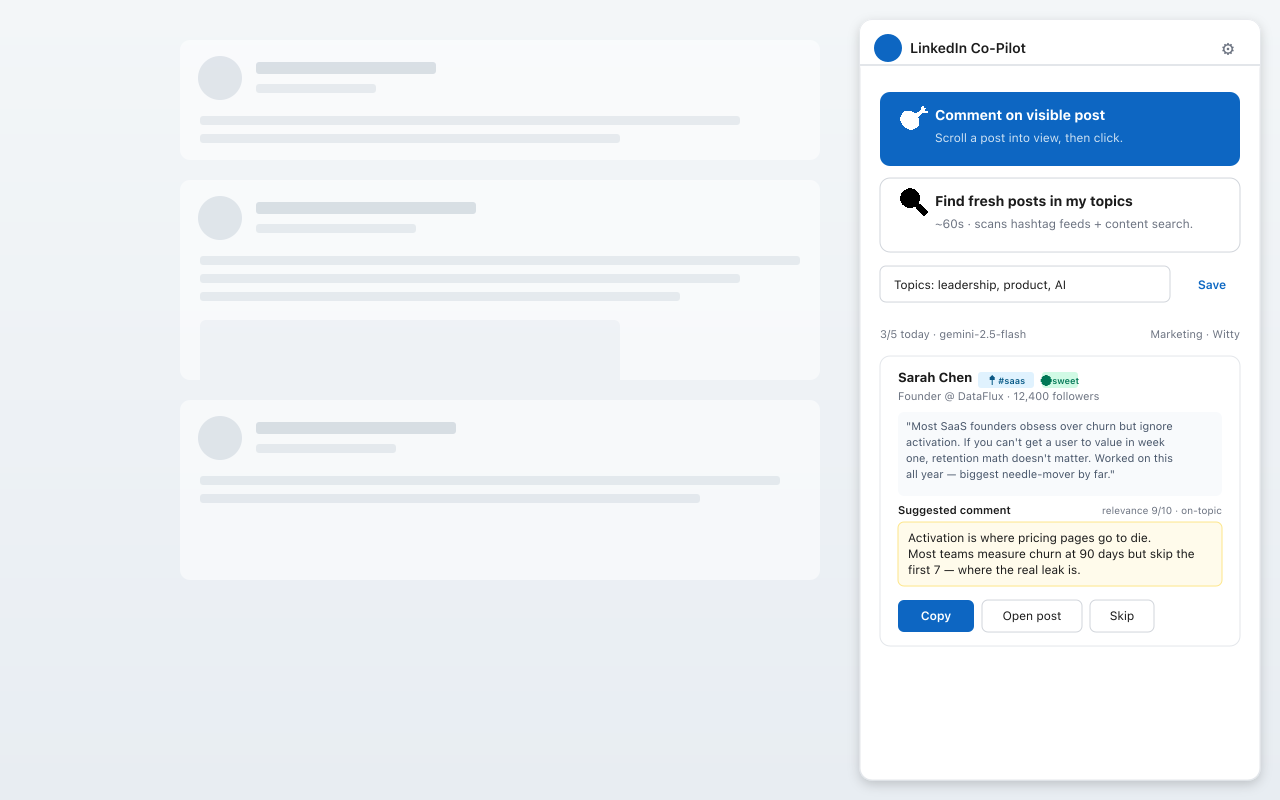
LinkedIn Co-Pilot is built around a simple safety rule: AI can draft, but you decide. It does not post, like, follow, or message on your behalf.
Drafts only. Local extension data. BYO AI provider key.
Answer in brief
Safe AI LinkedIn commenting means using AI to create a draft, then manually reviewing and posting only what you approve. LinkedIn Co-Pilot follows this model and avoids automatic LinkedIn actions.
Drafts only
The extension creates text suggestions. It does not publish them.
No password
LinkedIn Co-Pilot does not ask for your LinkedIn login credentials.
Local storage
Your extension settings, API keys, and voice profile stay in Chrome storage.
What to avoid with AI comments
Frequently asked questions
What makes AI LinkedIn commenting safer?
A safer approach keeps AI as a drafting assistant, requires human review, and avoids auto-posting or automated LinkedIn actions.
Does LinkedIn Co-Pilot scrape LinkedIn at scale?
No. It works with the visible post context in the user's browser and is not designed for bulk scraping.
Does it store my LinkedIn profile data on a server?
No. Extension settings, API keys, and voice profile data stay in the browser. Website waitlist emails are collected only if a user opts in.
Choose draft-first AI for LinkedIn.
Install LinkedIn Co-Pilot free and keep every comment under your control.
Add to Chrome - Free