A LinkedIn comment generator built into Chrome.
LinkedIn Co-Pilot opens beside LinkedIn, drafts a comment for the visible post, and lets you copy the version you want to publish.
No LinkedIn password. No auto-posting. Local settings.
Answer in brief
A LinkedIn comment generator Chrome extension helps most when it is close to the LinkedIn workflow. LinkedIn Co-Pilot appears in Chrome, uses the current post context, and gives you a draft to review before posting.
Side panel workflow
Draft while reading the post instead of switching to a separate writing app.
Style controls
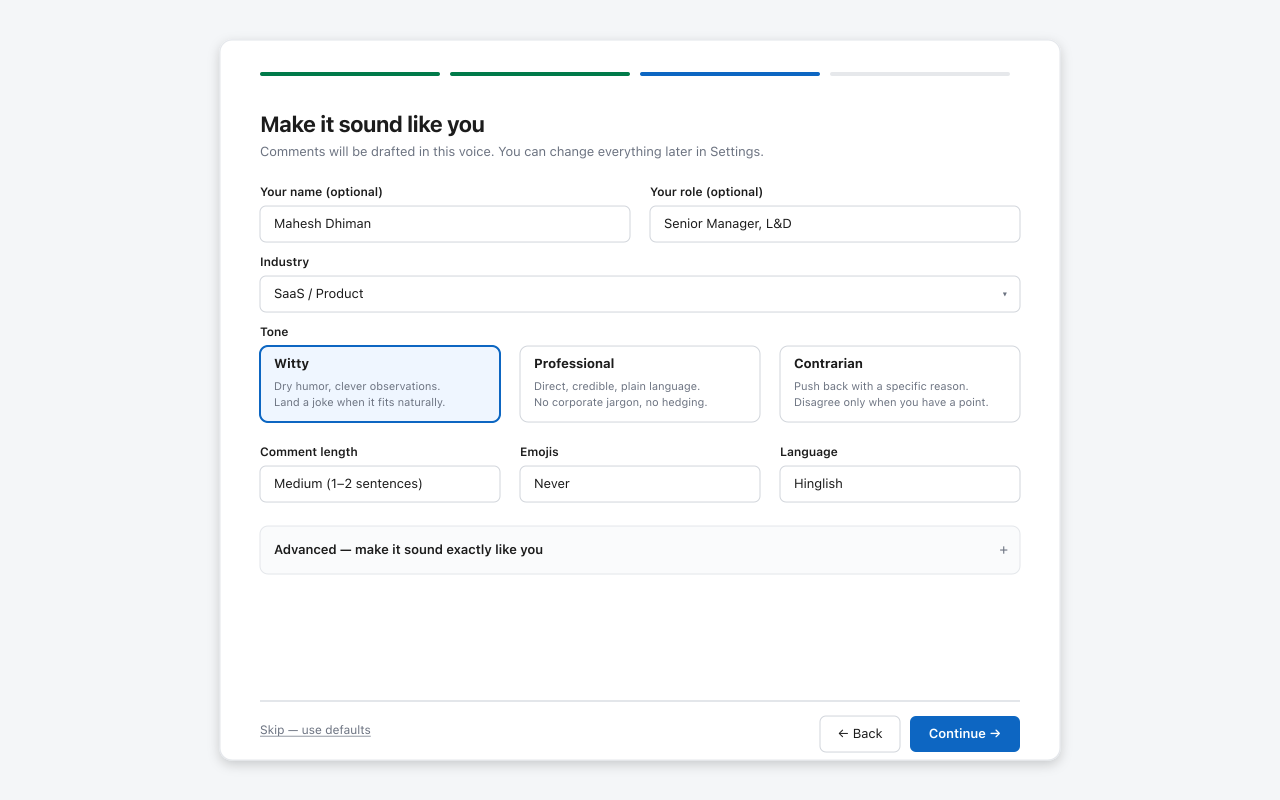
Adjust length, tone, formality, emoji use, and language before drafting.
Provider choice
Use the AI model you already trust and pay for directly.
Best for creators who comment often
If commenting is part of how you build professional visibility on LinkedIn, a Chrome extension removes friction. You still decide whether the draft is good enough to post.
Frequently asked questions
Why use a Chrome extension for LinkedIn comments?
A Chrome extension can work where you already read LinkedIn posts, reducing copy-paste between tools while keeping you in control.
Does LinkedIn Co-Pilot work outside Chrome?
It is Chrome-first today. Microsoft Edge may work because it is Chromium-based.
Does it require a LinkedIn password?
No. LinkedIn Co-Pilot does not ask for your LinkedIn password.
Add the LinkedIn comment generator to Chrome.
Free during launch. Optional Pro features are planned after demand is validated.
Add to Chrome - Free